
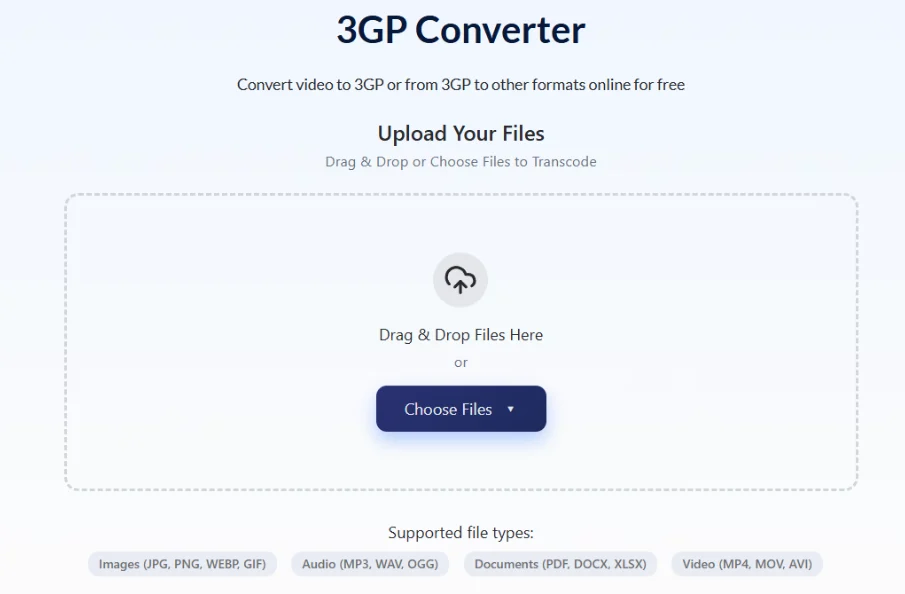
Somewhere on an old hard drive, a dusty memory card, or a long-forgotten WhatsApp backup, millions of people have video files ending in .3gp that won’t open on anything modern. If that’s you, AhaConvert converts 3GP files to MP4 in under two minutes, free, with no software required — but first, here’s exactly what these files are and why they exist.
What Is a 3GP File?
A 3GP file is a multimedia container format developed by the 3rd Generation Partnership Project (3GPP) in 1998 — the same international standards body that built the technical foundations of 3G mobile networks.
The goal was specific: create a video format small enough to record, store, and transmit on mobile phones with 2G/3G connections, modest processors, and storage measured in megabytes rather than gigabytes.
A 3GP file contains:
- Video: encoded in H.263, MPEG-4 Part 2, or H.264/AVC
- Audio: encoded in AMR-NB, AMR-WB, or AAC
- Metadata: duration, resolution, creation date
- Timed text: basic subtitle support in some implementations
A typical 3GP video from a 2005 Nokia phone runs 30–60 seconds at 176×144 pixels and weighs under 1MB. The same clip in modern MP4 would be 5–10× larger — which is precisely why 3GP existed.
Why Every Phone Used 3GP
During the early 2000s, mobile video was a genuine engineering challenge. Nokia, Sony Ericsson, Motorola, Samsung, and LG were shipping phones with storage under 32MB, screens smaller than a matchbook, and network speeds that made a 500KB file transfer feel slow.
3GP solved it through aggressive compression. H.263 video — the dominant codec in early 3GP files — was specifically designed for low-bandwidth video calling and recording. AMR-NB audio compressed voice recordings to sizes measured in kilobytes per minute.
By 2005, virtually every mobile phone on earth recorded video in 3GP by default. When MMS messaging arrived, 3GP was the format that made video sharing over text messages possible for the first time.
The WhatsApp connection: Early WhatsApp versions (2009–2013) transmitted video as 3GP files because the format’s small size worked within cellular data constraints. Many users still have 3GP files in archived WhatsApp backups from that era.
3GP vs 3G2: The Difference Nobody Explains
This is the distinction that causes the most confusion — and the one almost no guide covers properly.
3GP was developed for GSM and UMTS networks — the mobile standard dominant in Europe, Asia, Africa, and most of the world.
3G2 was created for CDMA2000 networks — used primarily in the United States (Verizon, Sprint) and parts of South Korea and Japan.
| 3GP | 3G2 | |
|---|---|---|
| Network standard | GSM / UMTS | CDMA2000 |
| Primary regions | Europe, Asia, Africa, most of world | USA (Verizon/Sprint), South Korea, Japan |
| File extension | .3gp | .3g2 |
| Codec support | H.263, MPEG-4, H.264, AMR | H.263, MPEG-4, H.264, EVRC audio |
| Conversion treatment | Convert to MP4 | Same — convert to MP4 |
If you have a .3g2 file from an old American Verizon phone, treat it identically to a .3gp file — the conversion process and tool requirements are the same.
3GP in Developing Countries: Still Active Today
While 3GP is largely obsolete in smartphone markets, it remains in active use in regions where feature phones are still the primary mobile device — parts of Sub-Saharan Africa, South Asia, and Southeast Asia.
Manufacturers like Tecno and Itel continue shipping feature phones with 3GP recording as default in 2024. In these markets, 3GP’s small file size isn’t a legacy limitation — it’s a practical necessity given storage constraints and mobile data costs.
Why 3GP Files Won’t Play on Modern Devices
Three reasons 3GP fails on current hardware:
1. Codec obsolescence: H.263 and AMR-NB are rarely included in modern media player installations. The container is recognised but the codec inside isn’t decoded.
2. No native mobile support: iOS has never supported 3GP natively. Android dropped default 3GP playback support in recent versions.
3. No browser support: No modern browser plays 3GP without a plugin — and plugins no longer exist.
Immediate fix: Install VLC Media Player (free). VLC includes H.263, MPEG-4 Part 2, and AMR decoders and plays virtually all 3GP variants on Windows, Mac, Linux, iOS, and Android.
Converting 3GP Files to MP4
Converting to MP4 is the permanent solution — universal device support, native iPhone/Android playback, YouTube uploads, everything.
- Go to AhaConvert’s free online 3GP Converter
- Upload your 3GP or 3G2 file
- Select MP4 as the output format
- Choose H.264 video + AAC audio — broadest compatibility across all devices
- Keep resolution at source (176×144 or 320×240 — don’t upscale, it adds file size without adding detail)
- Click Convert and download instantly
| Destination | Video Codec | Resolution | Audio |
|---|---|---|---|
| General playback | H.264 | Match source | AAC 128kbps |
| WhatsApp sharing | H.264 | Match source | AAC 128kbps |
| Archiving | H.265 | Match source | AAC 192kbps |
| Editing software | H.264 | Match source | AAC 192kbps |
Critical rule: Never upscale a 3GP video. A 176×144 recording cannot become HD by exporting at 1080p — it only becomes a larger, blurrier file. Match the source resolution every time.
Frequently Asked Questions
What is a 3GP file?
A 3GP file is a compressed video container format developed by 3GPP in 1998 for mobile phones on 2G and 3G networks. It uses H.263 or MPEG-4 video with AMR or AAC audio to keep file sizes small enough for low-bandwidth transmission. It was the default recording format on Nokia, Sony Ericsson, Motorola, and Samsung feature phones throughout the 2000s, and early WhatsApp videos were transmitted as 3GP files before smartphones standardised on MP4.
Why won’t my 3GP file play on my iPhone or Android?
iOS has never supported 3GP natively, and recent Android versions dropped default support. The underlying codecs — particularly H.263 video and AMR-NB audio — aren’t included in standard mobile media decoders. Install VLC for iOS or Android for immediate playback, or convert to MP4 for permanent native compatibility on any device.
What is the difference between 3GP and 3G2?
3GP was built for GSM/UMTS networks dominant in Europe, Asia, and Africa. 3G2 was built for CDMA2000 networks used by Verizon and Sprint in the USA and carriers in South Korea and Japan. Both formats serve the same purpose and are technically near-identical — the distinction is which network standard they were optimised for. Both convert to MP4 using exactly the same process.
Does converting 3GP to MP4 improve video quality?
No — conversion improves compatibility, not quality. The original recording determines the maximum quality available, and no conversion process recovers detail that wasn’t captured. Converting a 176×144 3GP to MP4 produces a 176×144 MP4 with identical image quality. Always match the source resolution during conversion.
Are 3GP files still used today?
Rarely in smartphone markets, but actively in regions where feature phones remain primary devices — parts of Sub-Saharan Africa, South Asia, and Southeast Asia. Manufacturers like Tecno still ship feature phones with 3GP as the default recording format. In smartphone markets, the format survives mainly as archived files from the 2005–2015 era.
The Bottom Line
3GP was the format that made mobile video possible — engineered for a world of tiny screens, slow networks, and storage measured in megabytes. Those files still exist in their millions: old Nokia recordings, early WhatsApp videos, archived MMS messages. They’re not lost — VLC opens them today, and a reliable 3GP Converter converts them to universally compatible MP4 in under two minutes, free, with nothing to install.
