
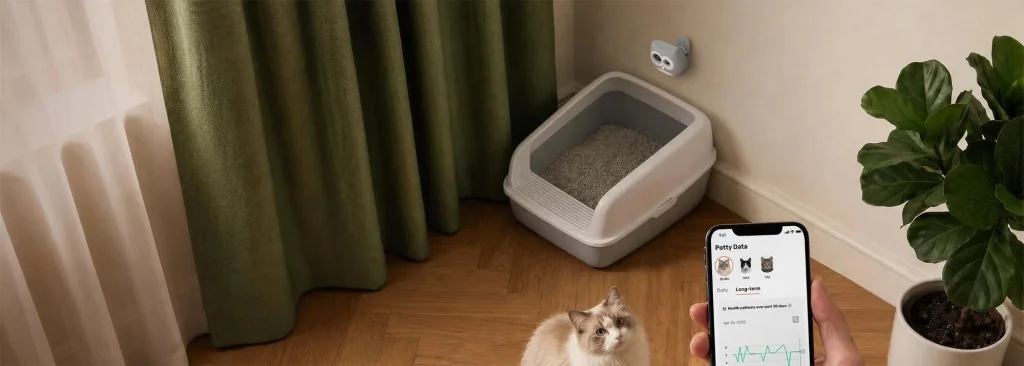
Bringing a smart device into your pet’s daily routine can feel intimidating at first. There are apps to install, sensors to place, baselines to record, and a whole new vocabulary of readings to learn. The good news is that the process is far less complicated than it looks once you break it into clear, repeatable steps. This walkthrough is written for owners who want practical, at-home guidance rather than marketing copy. You will learn what to prepare before unboxing, how to introduce the device without stressing your pet, which readings deserve your attention in the first few weeks, and how to turn raw data into useful conversations with your veterinarian. By the end, you should feel confident treating the device as a normal part of your household routine rather than an extra chore, and you should know exactly what to do the first time an unusual reading appears on your phone.
Preparing Your Home Before the Device Arrives
The setup experience starts long before the box shows up at your door. A little preparation makes the first day much smoother and prevents the common frustration of half-finished onboarding. Begin by identifying where your pet spends most of its resting hours. That is usually the couch, a favorite bed, or a corner near a sunny window. Wireless monitors and companion sensors work best when the base station or hub sits within a reasonable range of this spot, so plan an outlet nearby. If your home has thick interior walls or an older mesh network, run a quick speed test in that area to confirm the signal is stable.
Next, gather baseline information you already know. Write down your pet’s current weight, typical mealtimes, average sleep hours, and any conditions your veterinarian has flagged in the past. This context turns the first week of readings from a stream of unfamiliar numbers into a story you can interpret. If you are choosing between models, look for one that fits your species, size range, and coat type. A short-haired cat and a long-haired large-breed dog often need different sensor placements, and the right pet health monitor should acknowledge that difference in its onboarding flow rather than forcing a one-size-fits-all setup.
Unboxing and First-Day Setup
When the device arrives, resist the urge to strap it on immediately. Pets read our energy, and a rushed introduction can create negative associations that make future wear difficult. Instead, open the box in a calm room and let your pet sniff each component while you charge the main unit. Most modern monitors take about an hour to reach full battery on the first charge, which gives you time to install the companion app, create an account, and enter the baseline data you gathered earlier.
During app setup, pay careful attention to the profile details. Age, breed, neuter status, and known conditions are not throwaway fields. They shape the algorithms that decide what counts as a normal heart rate, activity level, or sleep pattern for your specific animal. Once the profile is complete, follow the pairing instructions. Bluetooth pairing usually works on the first try if your phone is within arm’s reach of the device. If it fails, toggle Bluetooth off and on, then move away from other wireless equipment such as microwaves or crowded router shelves.
Introducing the Device to Your Pet
Comfort is the difference between a monitor that lives on your pet and one that lives in a drawer. Start with short wear sessions of ten to fifteen minutes during a positive activity such as mealtime or a favorite walk. Praise, treats, and gentle handling all help the device feel like an ordinary accessory rather than a foreign object. Gradually extend the wear time over three to five days until your pet can comfortably wear the monitor for a full twenty-four hour cycle.
Check the fit every day during this introduction period. A collar-based sensor should be snug enough that two fingers slide underneath without excess room, but never so tight that it presses into the skin. For clip-on or harness-mounted sensors, inspect the attachment point after any vigorous play. Long-coated pets sometimes need a slight trim in the sensor area, since dense fur can block the optical readings that measure heart rate and respiration. If you notice redness, hair loss, or persistent scratching at the site, remove the device and give the skin a full day to recover before trying a different position.
Understanding Your First Week of Data
The initial seven days are a calibration period, not a diagnosis window. During this time, the software is learning what normal looks like for your individual pet. Expect wider confidence intervals, occasional missing readings, and alerts that feel oversensitive. This is intentional. Rather than reacting to every notification, focus on watching daily and weekly trends. Note which times of day show the highest activity, when deep sleep occurs, and how heart rate shifts around meals and walks.
Create a simple habit of checking the dashboard once in the morning and once in the evening. Morning checks capture overnight sleep quality, which is often the earliest indicator of discomfort or illness. Evening checks let you review the day’s activity against your own memory of what happened, which trains you to read the graphs quickly. If a reading looks unusual, cross-reference it with your own observations before assuming a problem. A spike in respiration might simply reflect an exciting visitor at the door rather than a medical event.
Building a Sustainable Routine
Once the calibration period ends, the monitor should fade into the background of daily life. Charging becomes a weekly habit, usually paired with something you already do, such as bath time or a grooming session. Battery anxiety is a common reason owners abandon smart devices, so plug the base into a spot you pass often, and set a phone reminder for the first month if needed. Firmware updates are worth accepting promptly, since manufacturers frequently improve accuracy through software rather than hardware changes.
Data hygiene matters too. Export or back up your pet’s history at regular intervals, especially before annual veterinary visits. Many owners bring a screenshot of a suspicious trend to their appointment, which gives the vet real evidence to work with rather than a vague description of behavior. Brands that focus on smart pet devices, such as SiiPet, often include export tools directly in the app, making it easy to share a summary without hunting through settings menus.
Responding to Alerts and Anomalies
Alerts are useful only when you know how to act on them. Establish a mental hierarchy from the start. A single unusual reading that resolves on its own is worth noting but rarely worth an emergency call. A pattern that repeats across multiple days, or a sudden change that persists for several hours, deserves closer attention. Very rapid heart rate combined with abnormal breathing and reduced activity is a signal to contact your veterinarian promptly, especially in older pets or those with chronic conditions.
Keep the vet’s contact information saved in the same app or a linked note so you are not scrambling during a stressful moment. When you do reach out, come prepared with specifics. Instead of saying your pet seemed off, describe the exact timestamps, the readings involved, and any environmental factors like heat, new food, or recent medication. This transforms the monitor from a passive tracker into a real diagnostic partner that shortens the path to accurate care.
Long-Term Maintenance and Growth
A well-maintained device can serve your pet for years. Wipe the sensor contact area with a soft, slightly damp cloth once a week to remove oils and dander that can degrade optical accuracy. Store spare charging cables in a dedicated drawer rather than the household tangle, so replacements are easy. If your pet gains or loses noticeable weight, revisit the profile settings and adjust so the software recalibrates around the new baseline.
As your confidence grows, you can begin experimenting with more advanced features such as sleep scoring, activity goals, or hydration reminders. These layers are most useful once you already understand your pet’s baseline, which is exactly why the earlier steps matter so much. Owners who rush past the calibration period often find the advanced features overwhelming, while those who build patiently tend to describe the monitor as one of the most helpful additions to their household. SiiPet users often report the same pattern, noting that the tools become far more useful once a genuine baseline exists.
Turning Daily Data Into Confident Care
A pet health monitor is not a magic device that replaces attentive ownership, but it is a powerful companion once you learn to work with it. By preparing your home in advance, introducing the hardware gently, respecting the first-week calibration period, and treating alerts as prompts rather than verdicts, you build a routine that quietly protects your pet’s wellbeing. Over time, the numbers on your screen begin to match the personality you already know, and any deviation becomes an early clue rather than a late surprise. Follow this walkthrough at your own pace, keep notes for your veterinarian, and let the device settle into everyday life. That steady rhythm, more than any single feature, is what turns a smart gadget into a trusted part of your pet’s long-term health story.
